

Try it in your browser!
Submit sample requests to our endpoints in your browser:
- Select the endpoint you want to try. This sets the required --url for the underlying cURL request.
- Select the EXAMPLES dropdown, and fill the required fields with Request Example values.
- Enter unique values for api_unique_identifier and client_id. Alternatively, you can fill in the request fields yourself. During onboarding, you will receive your client_id.
- Click Try it! to submit a sample request and get a response.
Note: In addition to standard HTTP response codes, PayAPI can return this comprehensive set of response codes.
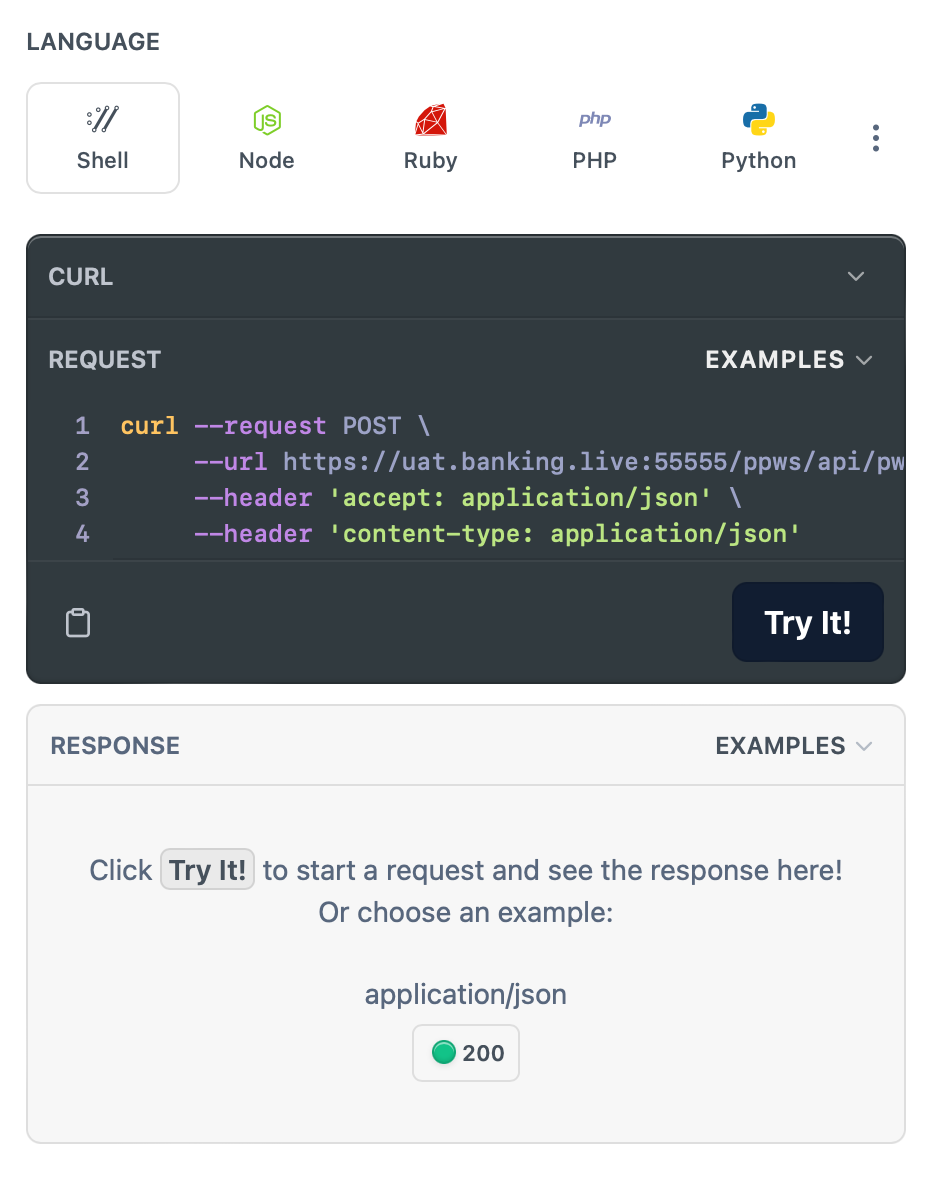
Submit a cURL request
To send a web service request using cURL:
-
You first need the client SSL certificate, which is provided by the Lume technical team. The certificates are in the format:
*****.crt,*****.p12or*****.key.In some cases, the cURL command expects the
.pemformat for SSL verification. So you need to export the certificate as.pemusing OpenSSL. If, for example, the client certificate (client.p12) is provided by the Lume team, you can run the commands below to convert it to.pem:$ cd <directory where .p12 is stored> $ openssl OpenSSL> pkcs12 -in client.p12 -out client.pem Enter Import Password: Enter PEM pass phrase: Verifying - Enter PEM pass phrase: OpenSSL> -
Run the cURL commands for the request. Some samples are shown below.
If the URL, https://api.uat.paymentology.com, is set as the BASE_URL, then the full URL for the request is https://api.uat.paymentology.com:(port_no)/api/pws/pws_ping_api.For example: https://api.uat.paymentology.com/api/pws/pws_ping_api.
Your URLs for dev and prod are provided during client onboarding.
curl -vk --cert ./***.pem:passphrase -X POST -H "Content-Type:application/json" BASE_URL/api/pws/pws_ping_api -d '{ "api_call_unique_identifier": "1212009001" , "client_id" : "123456" }'curl -vk --cert ./***.pem:passphrase -X POST -H "Content-Type:application/json" BASE_URL/api/pws/pws_ping_api -d '{ "api_call_unique_identifier": 1212009001, "client_id" : 123456 }'curl -vk --cert ./***.pem:passphrase -X POST -H "Content-Type:application/json" BASE_URL/api/pws/pws_ping_api -d @D:/ping.txtRequest and view examples
You can request and view an example API request body in any listed programming language for each API.
You do this by navigating to the top right of the REQUEST box and selecting Request Example in the EXAMPLES drop down menu.
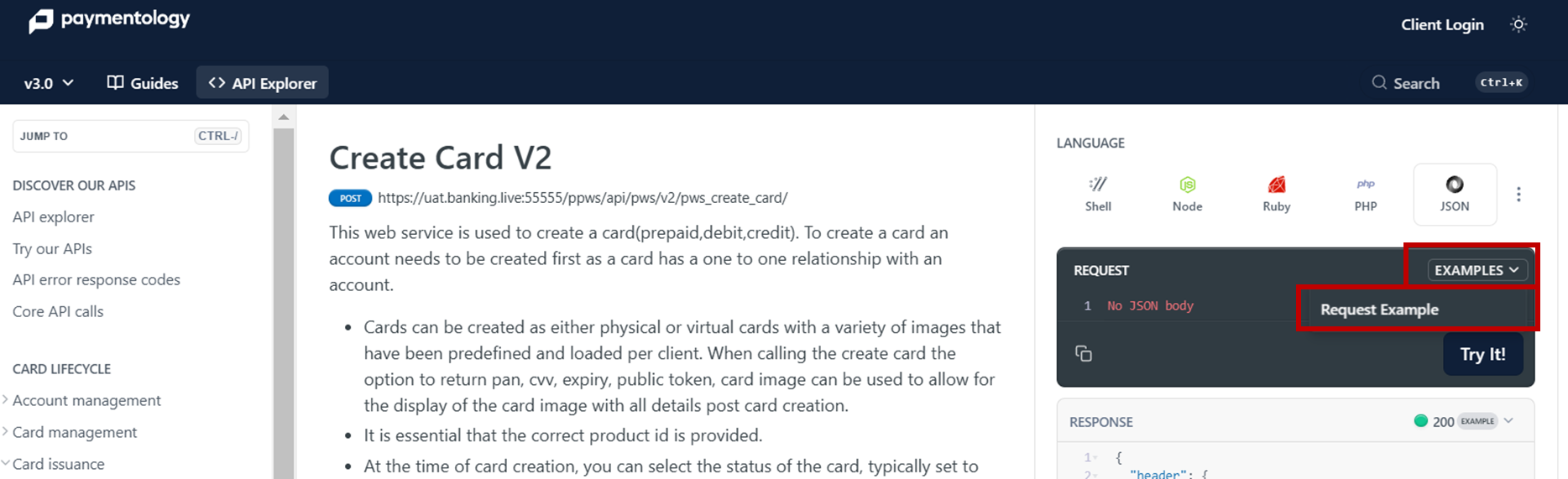
EXAMPLES drop down menu
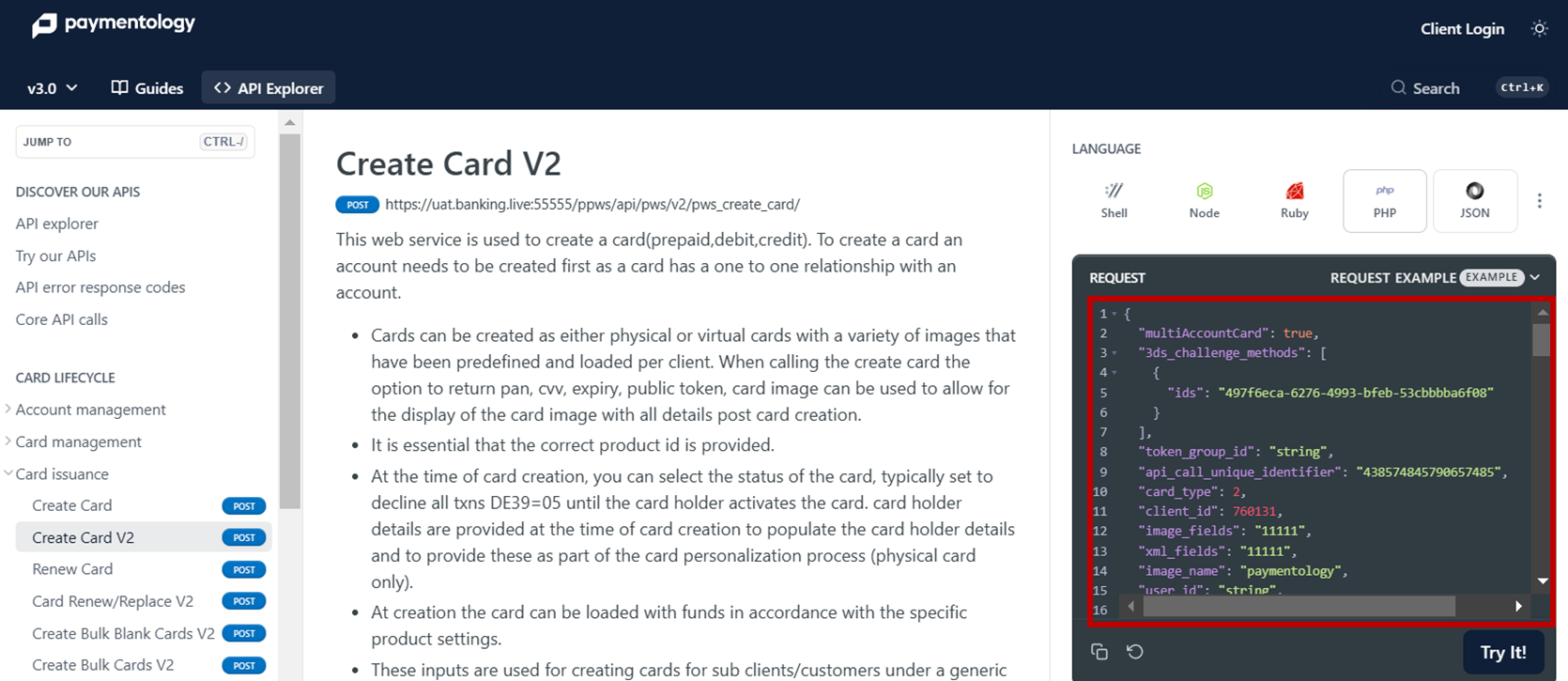
REQUEST EXAMPLE