
Card order report
If you choose the option of ordering cards via the OrderCard method, then a report will be available each day with information of the successful orders that were processed and sent to the card manufacturer.
The report includes the following details:
-
Card number – the masked card number.
-
Wallet reference – this column will be empty for Card API reporting.
-
Date created – the date that card was created.
Report format
| FORMAT | FILE NAME | FREQUENCY | ACCESSIBILITY |
|---|---|---|---|
| CSV | [CampaignUUID]/[CampaignName]PanDetails[YYYYMMDD].csv | Daily | HTTP get request or client SFTP folder |
Report time frame
| UTC +2 | UTC +7 | REMARKS |
|---|---|---|
| 02:30 | 07:30 | Paymentology creates batch order and submits to manufacturer for printing physical cards at 19:30 UTC+2, and the Card Order Report itself will be made available by our system for client’s consumption on next day 02:30 UTC+2. |
Report sample
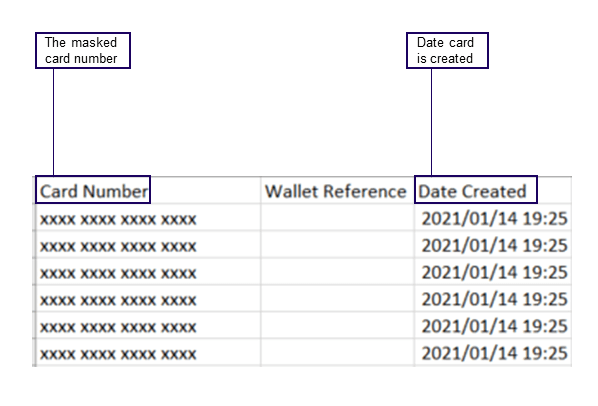
Note: file will automatically download upon clicking link
Updated 3 months ago
Did this page help you?