
Card order
A card order is a request to print a physical card. With the Companion API, you can optionally issue a physical card to a customer by sending an order for printing to the card manufacturer. To initiate a request to print a physical card, you use the OrderCard method in the Local API. On a daily basis at 19:30 UTC+2, Paymentology creates a batch order and submits it to the manufacturer for printing. A card orderreport lists all the orders that were processed on the previous day. SFTP folder
-->
The report includes the following details:
-
Card Number- this is the issued/created card number. Due to card numbers being sensitive data, the card number is usually presented in the format 1234xxxxxxxx5678.
-
Wallet Reference - this is the unique customer reference for the card.
-
Date Created - this is the date and time stamp of when the card number was issued. Usually in the format DD/MM/YYYY HH:MM.
Report format
| Format | File name | Frequency | Accessibility |
|---|---|---|---|
| CSV | [CampaignUUID]/[CampaignName]_PanDetails_[YYYYMMDD].csv | Daily | HTTP GET request or client SFTP folder |
Report time frame
| UTC +2 | UTC +7 | Remarks |
|---|---|---|
| 02:45 | 07:45 | 00:00:00 → 00:00:00 day + 1, UTC +2. Based on the time in UTC +2 that the perso was requested. |
Report sample
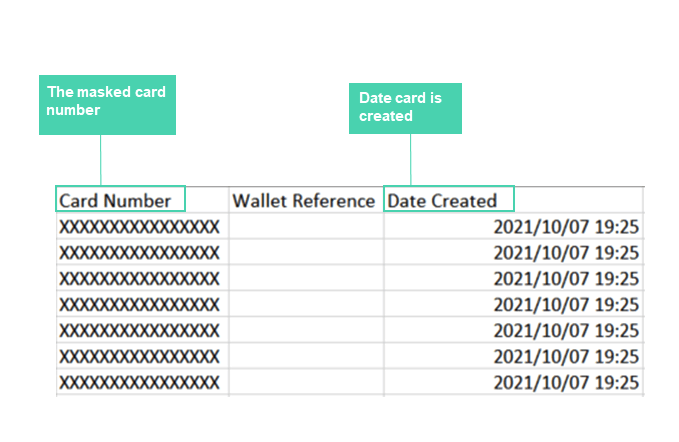
Note: file will automatically download upon clicking link
Updated 3 months ago