
Client Card Program
On the Paymentology Sprint platform, we use an internal Client Management System to manage the various settings associated with clients’ card programs. This software allows Client Executives, who are responsible for clients’ accounts, to set up configurations that relate to the products we sell to our clients.
It’s how we track the various settings pertaining to how the stated card program works so that we can provide a seamless client experience.
The Client Executives use the information that clients provide on the Client Product Checklist form to select their appropriate card schemes, products and card program features.
These are some possible card settings:
-
The BIN This is the Bank Identification Number, which is the initial four to six digits that appear on a card number. BIN is used to identify the institution issuing the card.
-
The currency This is the currency that transactions will be processed in.
-
The product This is the Paymentology Sprint product that is being used, such as Companion API or Card API.
-
PIN configuration This configures cards to be created with a PIN and provides PIN management functions.
-
Countries where the card can be used This is a list of countries where the card can be used to make transactions.
-
Expiry settings This is the card expiry date and other expiry configurations, such as re-issuing of an expired card.
-
Reports This enables the Paymentology Sprint reports that a client can download. For example, a mark-off file can include all the settings under that client.
-
Limits This defines the maximum load allowed on a card as well as other velocity checks.
-
KLV Fields This selects the KLV data that can be sent to the client. Read more about KLV data here.
-
Security permissionsThis allows for blacklisting and setting merchant group permissions.
Whenever a transaction is undertaken for a card, all its associated settings are run through the Client Management System to determine their efficacy. For example, the system establishes whether it’s a Card or Companion model, if it’s 3DS or tokenization enabled, or its fees setup.
Here is an illustration that shows how Paymentology manages clients’ cards programs on the Sprint platform:
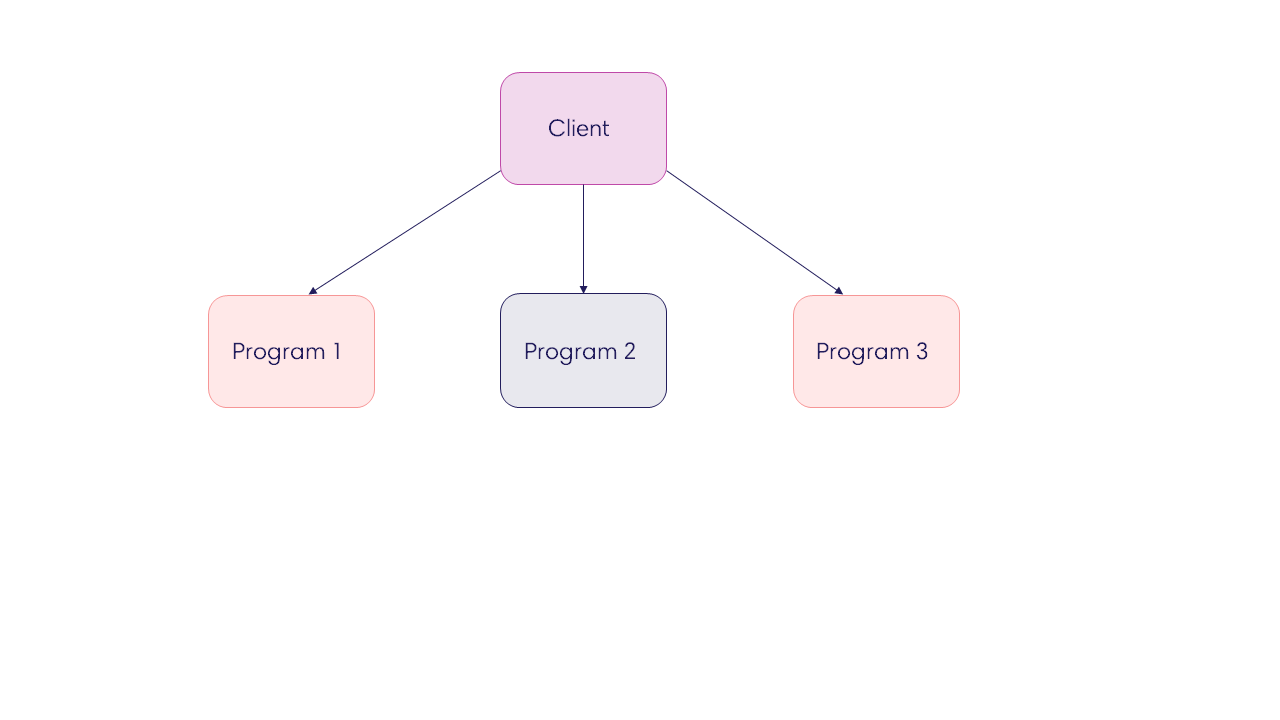
Let’s explain how it works:
-
Client This is the entity that signs a contract with Paymentology to use its services and issue cards to customers. A Client Executive creates a client on the Client Management System. A client can have multiple settings linked to it.
-
Program These are records that define the parameters of the product that Paymentology has sold to the client.
A client can have more than 1 program linked to them and these will be managed accordingly:
-
Multiple settings— these are used for tracking different product types, such as virtual cards, physical cards and Digital First cards. They can be set up with different merchants (or partners), multiple VISA SREs’ and multiple BINs (one BIN per setting). The settings can also vary from one card to another, such as different spend limits, different MCCs and multiple reports per setting. They are applied for medium to large clients. These settings are billed individually per setting.
-
Single settings— these are used to manage single card programs, such as one BIN, one VISA SRE, for small to medium clients. They are also billed individually per setting.
Updated 4 months ago