
Decline Action
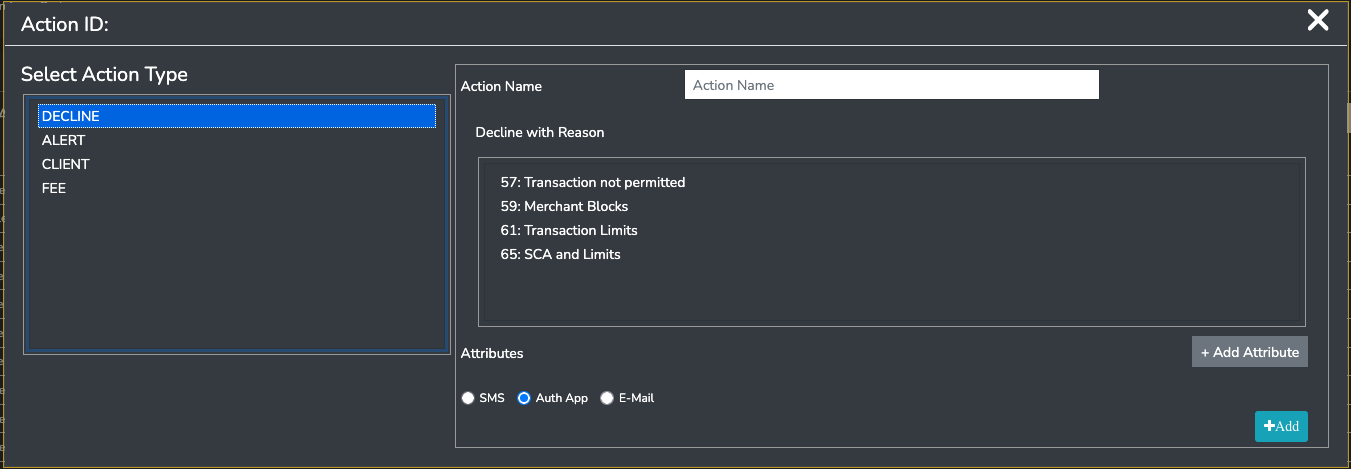
A decline action will inform the scheme that the transaction cannot be approved.
- You must specify the decline action name
- You must specify the reason of the decline.
- This will be converted to the specific scheme decline reason code when Paymentology responds to the scheme.
- You may optionally add attributes to the action
- These attributes will then accompany the Decline Action information in the FAST message if the action is triggered.
Updated about 1 month ago
Did this page help you?