
Product configuration
PayCredit products are created and managed through the PayCredit UI.
Our Project Managers create and configure your PayCredit product in the UI based off your submitted PSF. The product configuration includes the details provided below:
Key product parameters
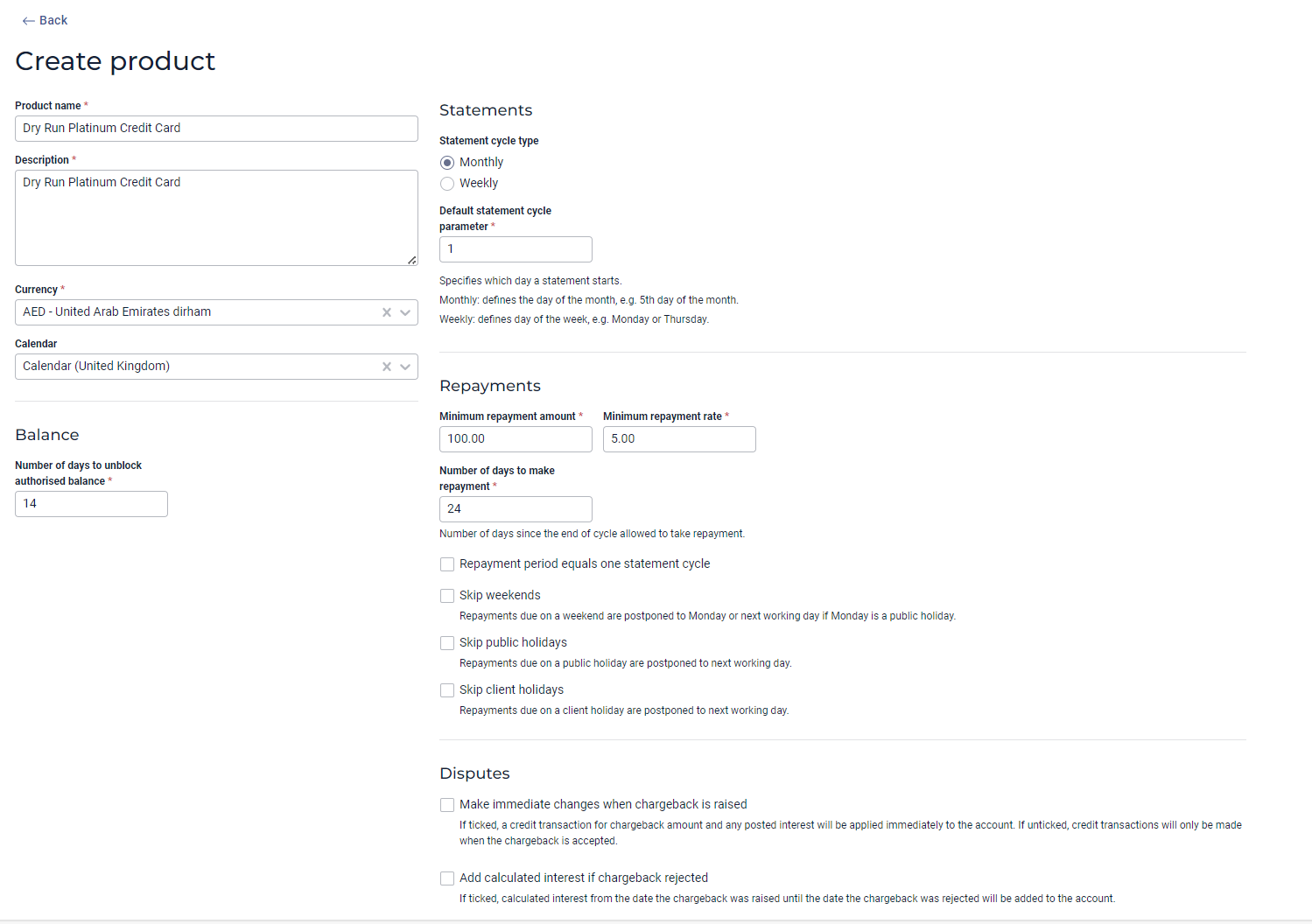
| Parameter | Description | Example |
|---|---|---|
| Product ID | Unique product identifier set by the PayCredit system | 123 |
| Product Name | Product name defined by client | Bank 101 Credit Card Product 1 |
| Description | Description of the Product | Launch Product |
| Currency | The credit products base/billing currency | USD |
| Calendar | Selection of default calendar | TBC |
| Number of days to unblock authorised balance | Number after which an authorisation which had not be settled is cancelled and the authorised amount unblocked | 14 |
| Statement Cycle Type | Currently supports Monthly | Monthly |
| Default Statement Cycle Parameter | Default statement day of month.
| 2nd |
| Number of days to make a repayment | The number of days after the Statement Day when repayment is due. i.e. the Grace Period. | 24 |
| Minimum Repayment Amount | A fixed amount used as input to calculating minimum repayment. | 10.00 |
| Minimum Repayment Rate | A percentage (%) amount used as input to calculating the minimum repayment. | 9.00% |
| Skip weekends | If selected, changes the repayment due date to next working day after weekend. | Tick box |
| Skip public holidays | If selected, changes the repayment due date to next working day after a public holiday | Tick box |
| Skip client holidays | If selected, changes the repayment due date to next working day after a client holiday | Tick box |
| Disputes: Make immediate changes when charge back is raised. | If selected, triggers immediate credit for amount of chargeback raised and interest. | Tick box |
| Disputes: Add calculated interest if chargeback is rejected. | If selected, triggers adding additional interest if dispute is rejected. | Tick box |
Interest rates
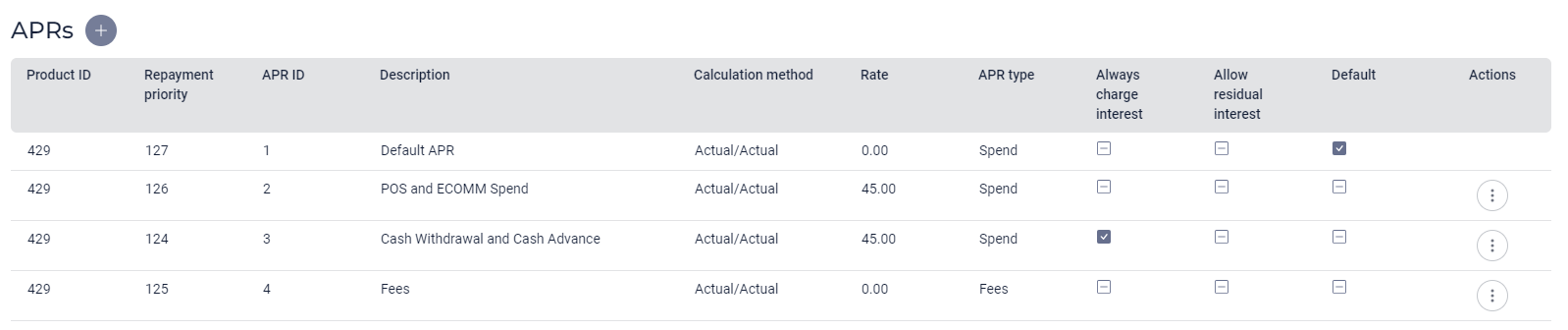
The following interest rate/APR (Annual Percentage Rate) parameters are configurable:
| Parameter | Description | Example |
|---|---|---|
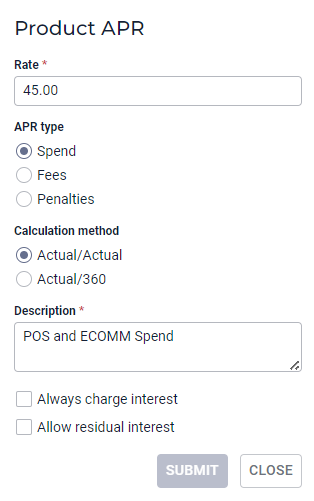
| Repayment Priority | Sets the priority for allocation of repayment amount to repay interest and debt. The top priority is paid first. | 124 |
| APR ID | Identifier in the PayCredit system | 2 |
| Description | Chosen description | Purchase |
| Calculation Method | The chosen calculation method of the product. Either:
| Actual/Actual |
| Rate % | The interest rate | 18.36% |
| APR Type | Selected from:
| Spend |
| Always Charge Interest | Toggles whether spend can benefit from grace period i.e. if cardholder pays statement balance in full each month then no interest is charged. | No |
| Allow Residual Interest | Toggle whether cardholder is charged residual interest where full statement balance is paid by the due date | No |
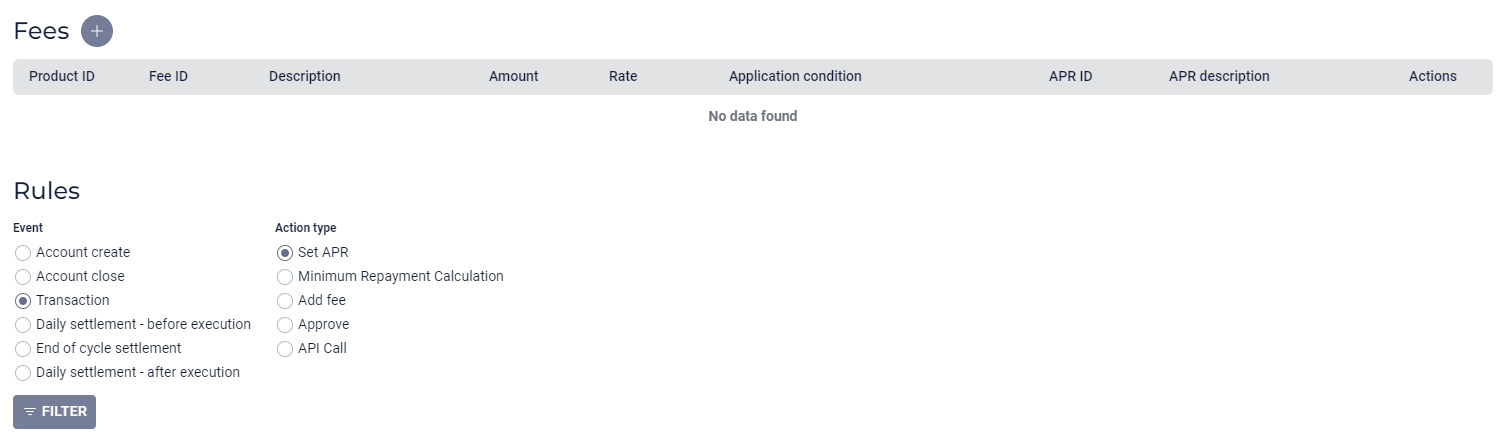
Rules to match transaction types to APR's
Fees
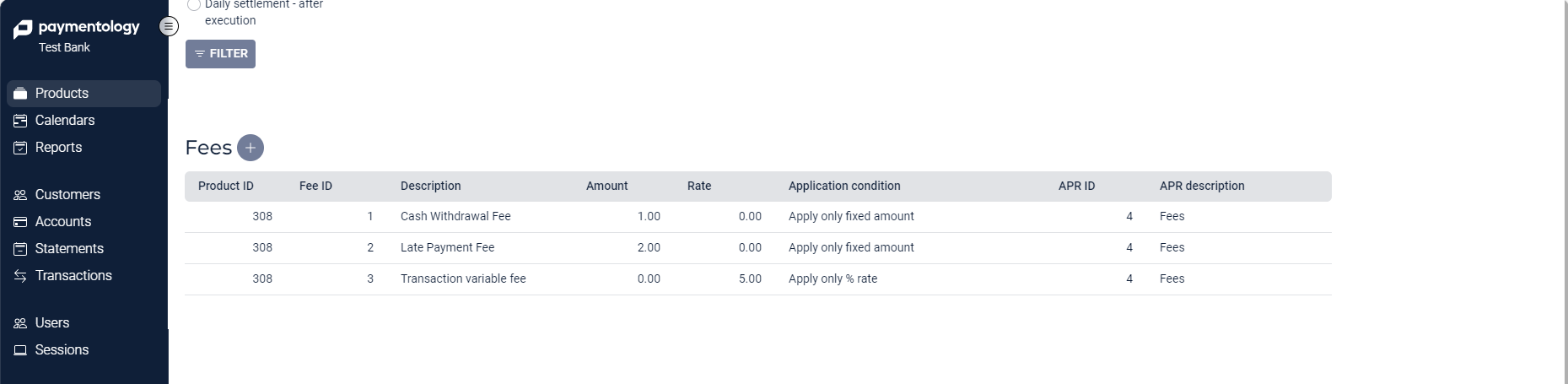
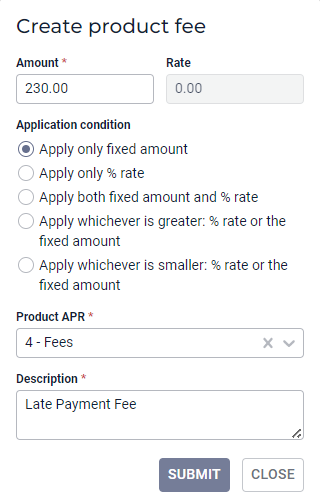
| Parameter | Description | Example |
|---|---|---|
| Fee ID | Unique fee identifier set by the PayCredit system | 794 |
| Description | Chosen description of the fee | Late Payment Fee |
| Amount | A fixed fee amount, if applicable for the fee | 4.00 |
| Rate % | The % rate, if applicable for the fee e.g. Fee = 5% of transaction value. | 5.00% |
| Application Condition | The high-level fee calculation computation. The below fee application conditions are possible:
| Apply only fixed amount |
| APR ID | Selects the interest rate identifier (apr_id) that would be applied to fees. For example 0% APR is applied if interest is not charged on fees | 4 |
| APR Description | Description of the APR ID | Fee APR Zero |
Rules to trigger fees
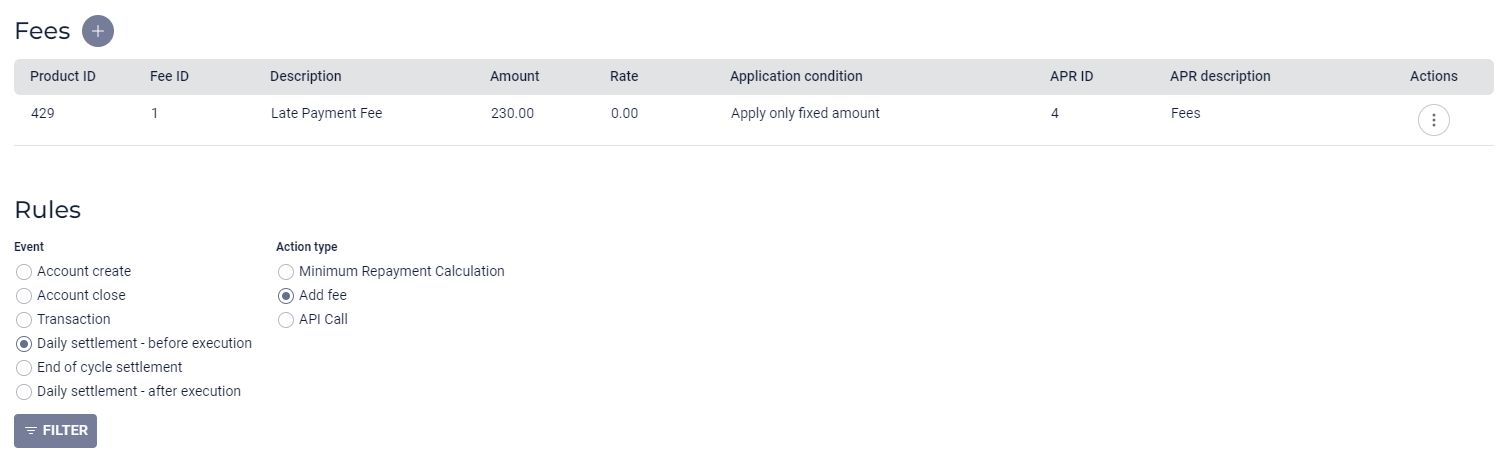
Rules
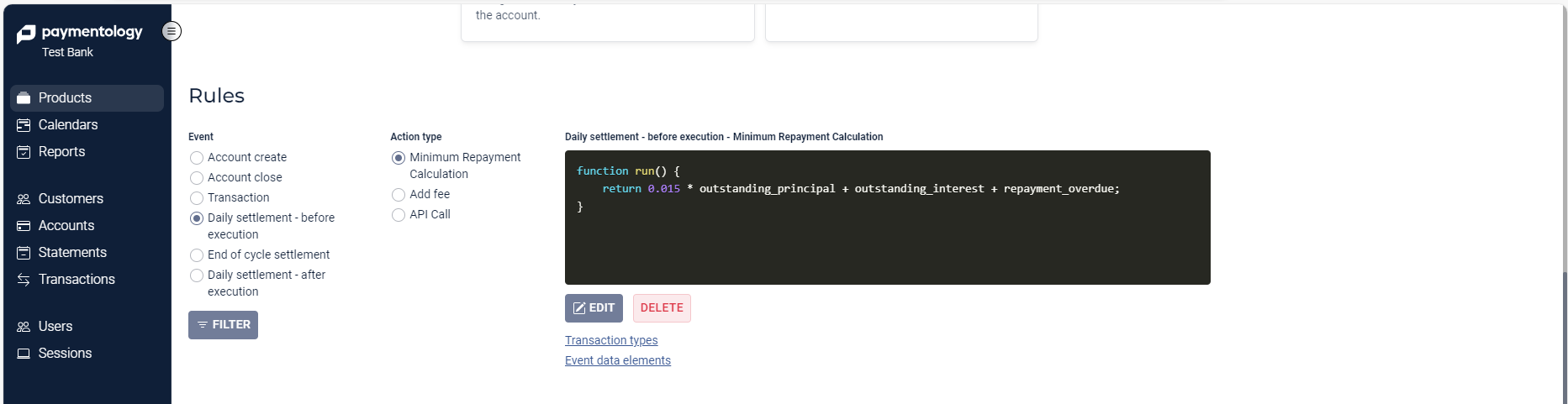
PayCredit allows setting of Rules to apply calculations or fees. For example:
- Transactions: applying different transactions to different interest rates.
- Transactions: triggering fees.
- Daily processing: calculating minimum repayment due.
- Daily processing: triggering fees.
Updated 11 months ago
Did this page help you?