
Alert Action
An alert action sends a notification when a rule is triggered. Notifications can be sent by email, SMS, or both. Alerts do not affect the transaction decision or response.
Configuration
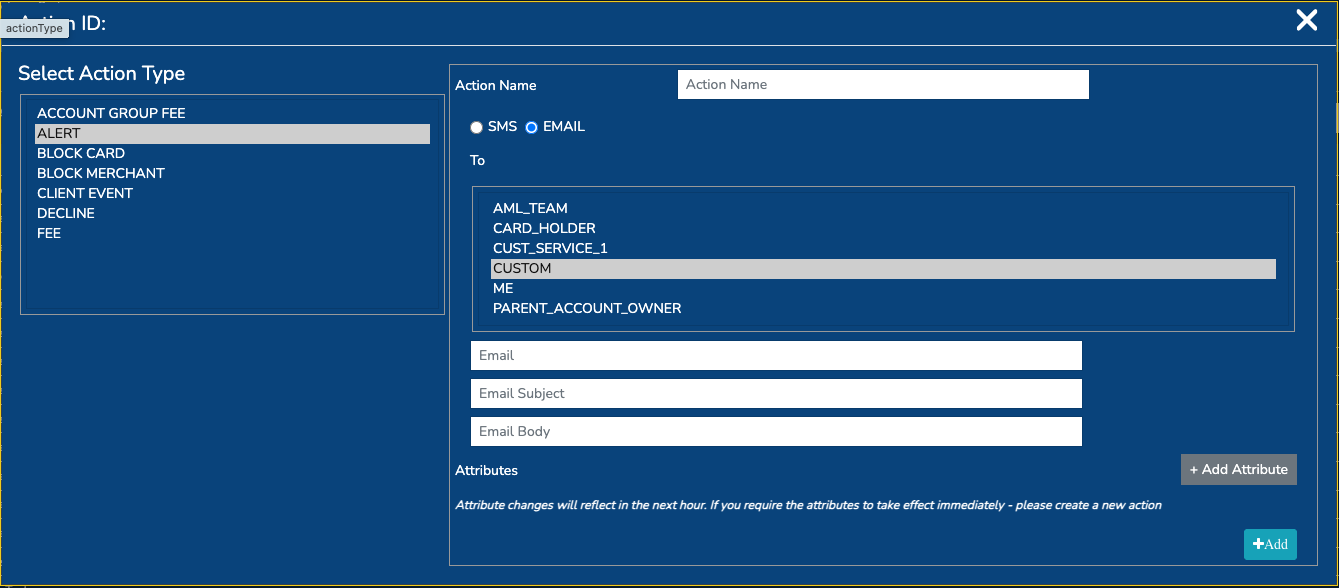
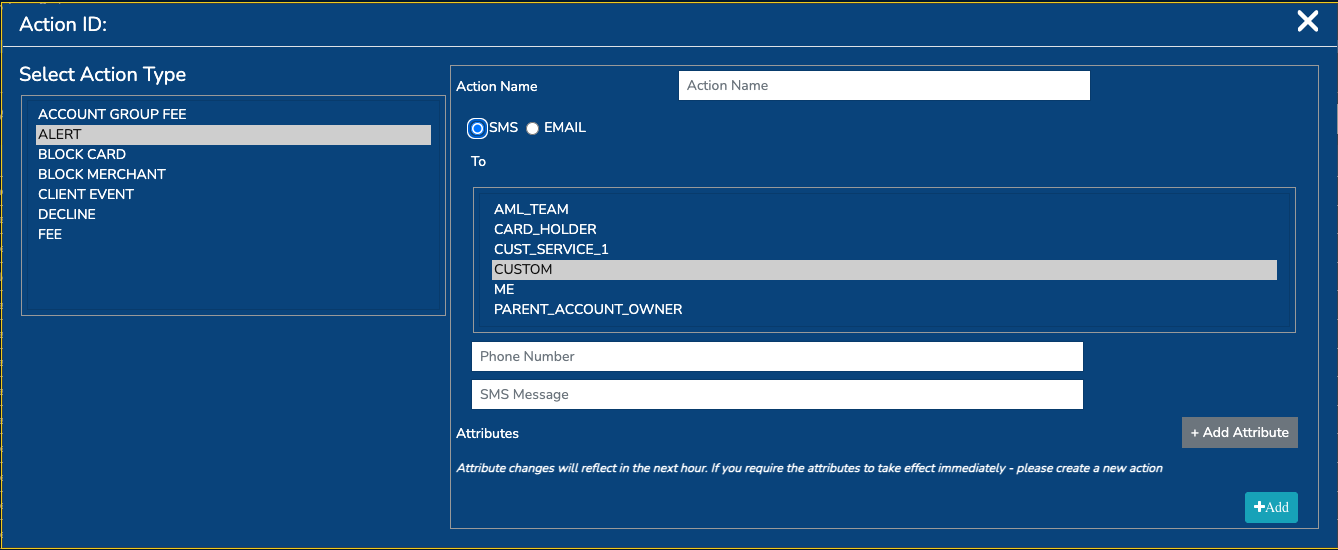
Configure the following fields:
| Field | Description |
|---|---|
| Action name | A unique, descriptive name for the action. |
| Recipient | Select the recipient category or specify custom recipients. |
| Email recipient | Email address or semicolon-separated list of email addresses. |
| Email subject | Subject of the email alert. |
| Email body | Message body. Supported placeholders can be used. |
| SMS recipient | Phone number or semicolon-separated list of phone numbers. |
| SMS message | SMS message body. Supported placeholders can be used. |
At least one notification type must be configured: email or SMS.
Email:
SMS:
Recipient Options
The following placeholders can be used in the email and SMS recipient fields:
| Placeholder | Description |
|---|---|
CARDHOLDER | Resolves to the cardholder's email address or mobile number. |
PARENT ACCOUNT OWNER | Resolves to the parent account owner's email address or mobile number. If no parent account exists, the cardholder's contact details are used. |
ME | The option uses the email address and mobile number of the user creating or updating the action. |
CUSTOM | The option allows recipients to be entered manually. |
AML_TEAM | Not currently populated |
CUST_SERVICE_1 | Not currently populated |
Static recipients can be combined with dynamic recipient placeholders. For example:
Message Placeholders
Placeholders must be entered exactly as shown, including braces.
| Placeholder | Description |
|---|---|
{DE2} | Last four digits of the card number. If unavailable, N/A is used. |
{PBTOK} | Paymentology public card token. |
{ACCID} | Account ID associated with the transaction. |
{TXNID} | Transaction ID. |
{DE4} | Transaction amount followed by the transaction currency symbol. |
{DE6} | Cardholder billing amount followed by the billing currency symbol. |
{DE7} | Transaction date and time in UTC. |
{DE11} | System Trace Audit Number (STAN). |
{DE12U13} | Transaction local date and time. If unavailable, the UTC value from {DE7} is used and marked as UTC. |
{DE18} | Merchant Category Code (MCC). Email alerts use the MCC description where available; SMS alerts use the numeric MCC. |
{DE43} | Card acceptor or merchant name. |
Example
Card ending {DE2} was used for {DE4} at {DE43}.
Transaction ID: {TXNID}
Account ID: {ACCID}
Merchant category: {DE18}
Date and time: {DE12U13}
The rendered message may look like this:
Card ending 1234 was used for 25.00 USD at Example Store.
Transaction ID: 123456
Account ID: 987654
Merchant category: 5411 - Grocery Stores
Date and time: 2026-08-10 14:35:12
Message Length
The current storage limits are:
- SMS message: 350 characters
- Email body: 500 characters
Updated about 2 months ago